

Teams collecting requests in Trello

Forms Flow+
Forms that flow into Trello.
Build native forms or connect Google Forms, map every answer to the right Trello fields, and follow each response through card delivery.
Why teams need it: Form responses often land in a separate inbox, leaving teams to copy answers into Trello and clean up every card by hand.
What it helps with: Build or connect a form, map answers to Trello fields, publish a shareable link, and track every card delivery from one focused workflow.
Installation appears after a verified Trello Marketplace listing is available.
Documentation opens in a new tab.
How it works
Create, map, publish, and track form responses
Build a native form or connect Google Forms, decide how answers shape each Trello card, and keep delivery status visible from submission to card creation.
One intake layer
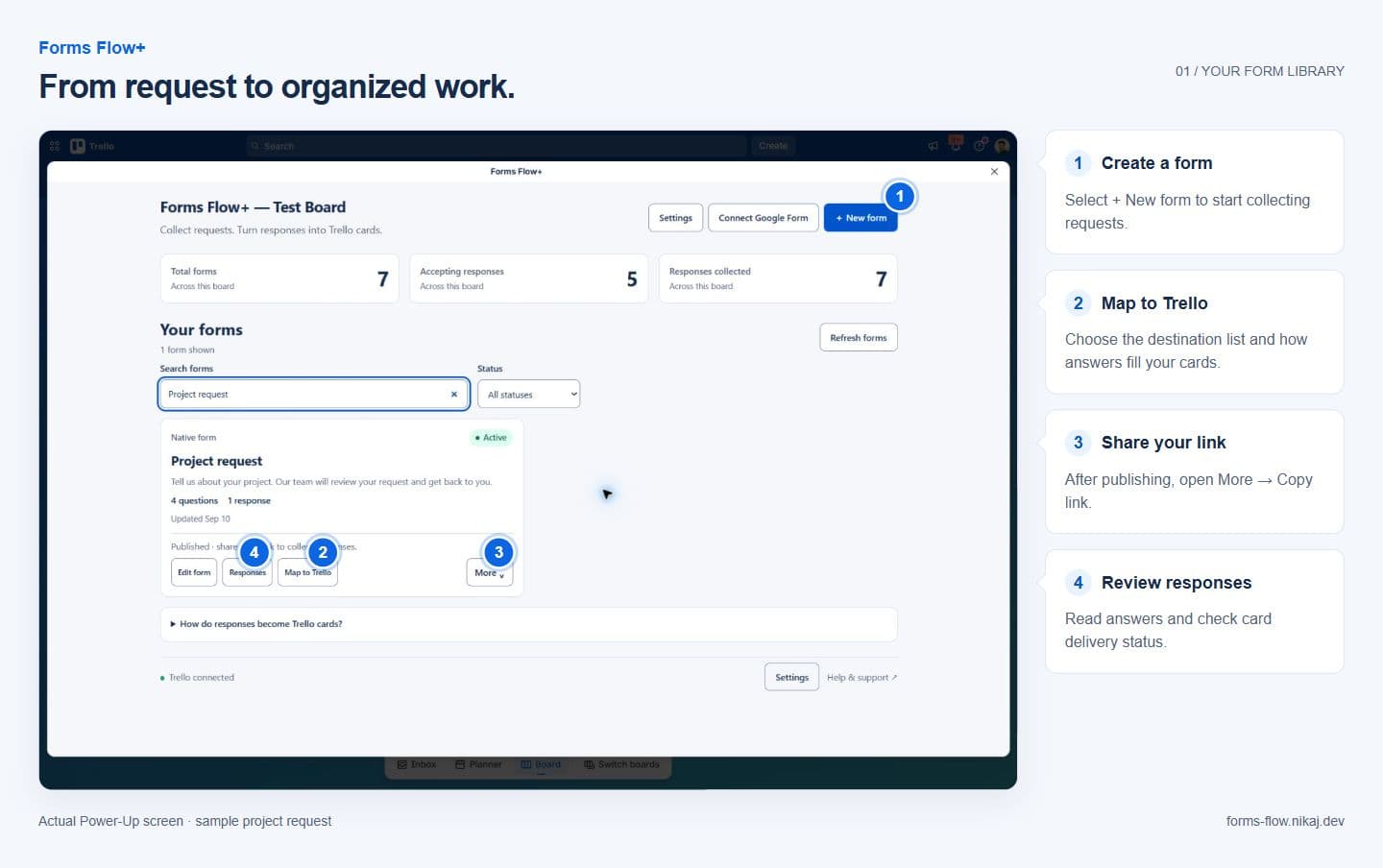
Manage every form and response in one place
Create native forms, connect existing Google Forms, open response history, and configure Trello delivery without adding another inbox to your workflow.
- Create more than one form for a board
- Review responses and delivery status
- Pause, duplicate, archive, or share each form
Native form builder
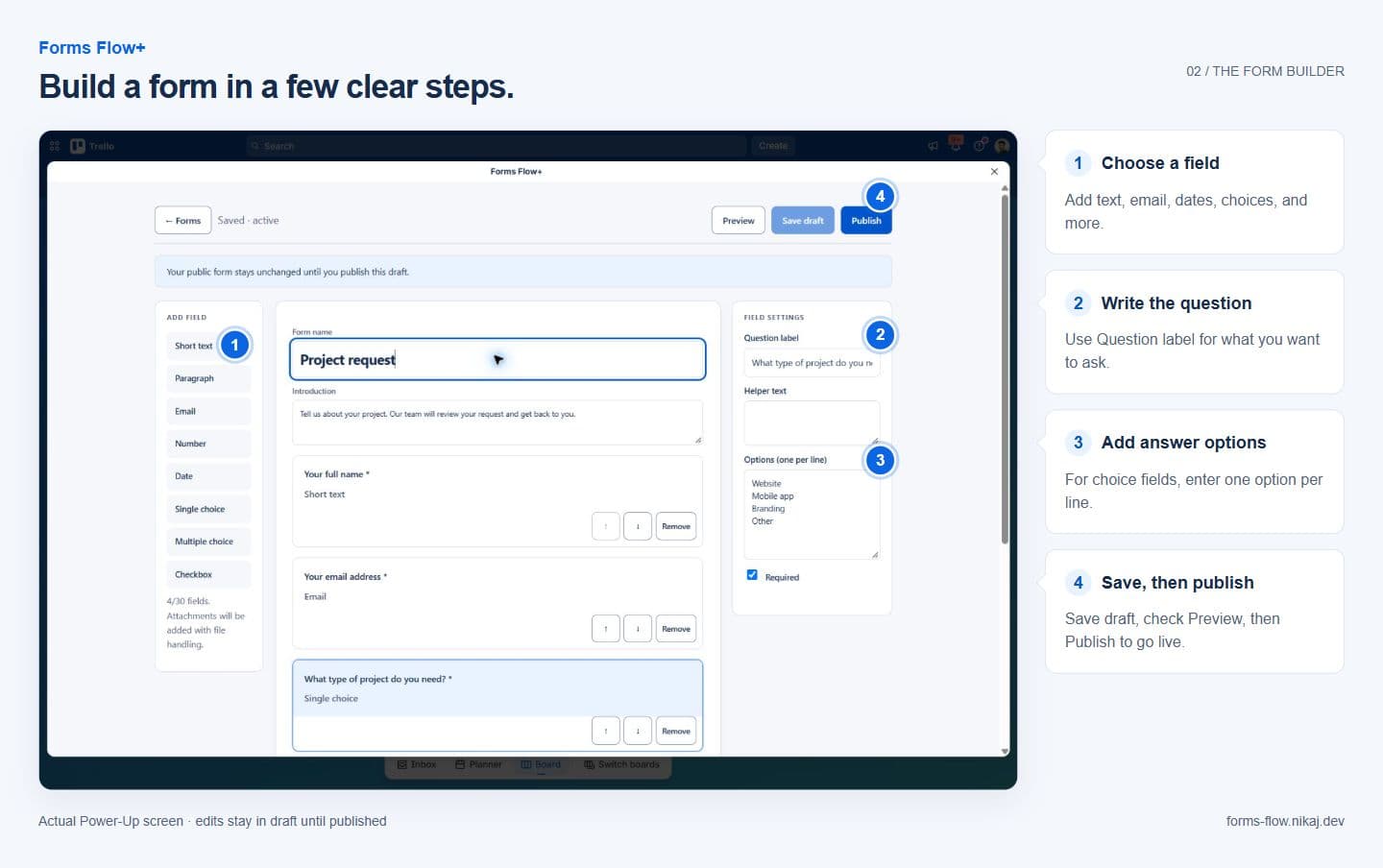
Publish clear forms without code
Choose field types, write questions, preview the respondent experience, and publish a public link that works for people outside your Trello board.
- Eight focused field types
- Draft, preview, and publish workflow
- Public forms that do not require a Trello account
Screenshots
Forms Flow+ in action
See the Forms Flow+ library and editor used to create forms, manage responses, and prepare Trello card delivery.
Use arrow keys to move between screenshots when a thumbnail is focused.
Capabilities
What Forms Flow+ helps teams do
Forms Flow+ gives Trello teams one intake layer for native forms and Google Forms, with public sharing, precise card mapping, response history, and safe delivery retries.
Native form builder and public share links
Google Forms connection and response sync
Trello list, label, member, date, and Custom Field mapping
Response history with delivery status and retry controls
Get started
Explore Forms Flow+
Forms Flow+ is in private beta. Explore the live product guide and browser-only builder demo while public Marketplace access is being prepared.
Installation appears after a verified Trello Marketplace listing is available.
Documentation opens in a new tab.
Related products