

Teams using Trello

Board Export+
Export boards in minutes.
Turn live Trello boards into polished PDFs, spreadsheets, CSV files, JSON backups, and handoff-ready records — without leaving Trello.
Why teams need it: Trello boards hold client work, audits, and handoffs, but teams still rebuild reports and archives by hand.
What it helps with: Turn live boards into polished PDFs, Excel spreadsheets, CSV, JSON, DOCX reports, board archives, and handoff-ready records without leaving Trello.
Opens the official Trello Power-Up listing.
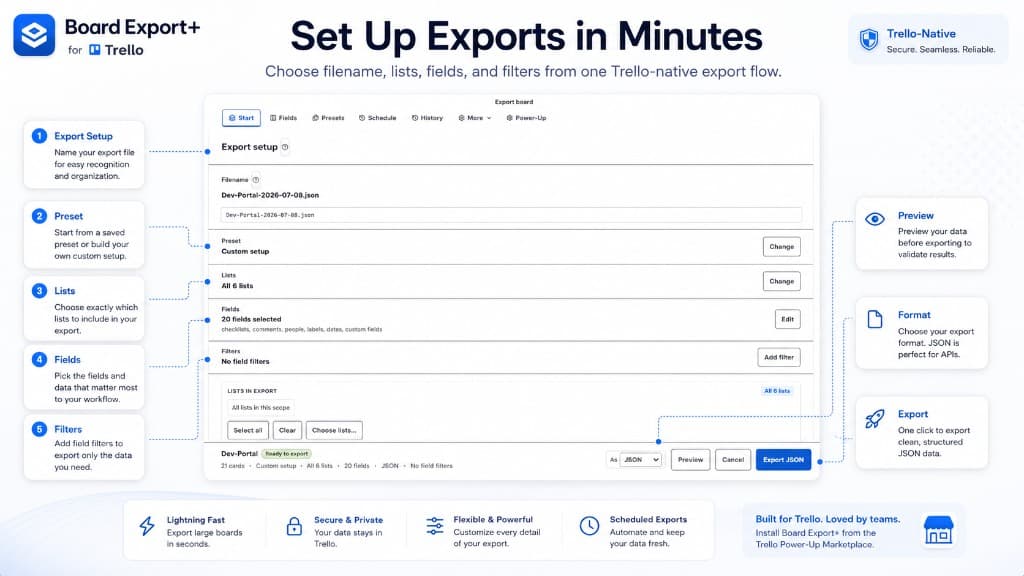
How it works
Export PDF, Excel, CSV, JSON, and more from Trello
Every screenshot below is from Board Export+ and shows how teams choose fields, preview output, and track export history.
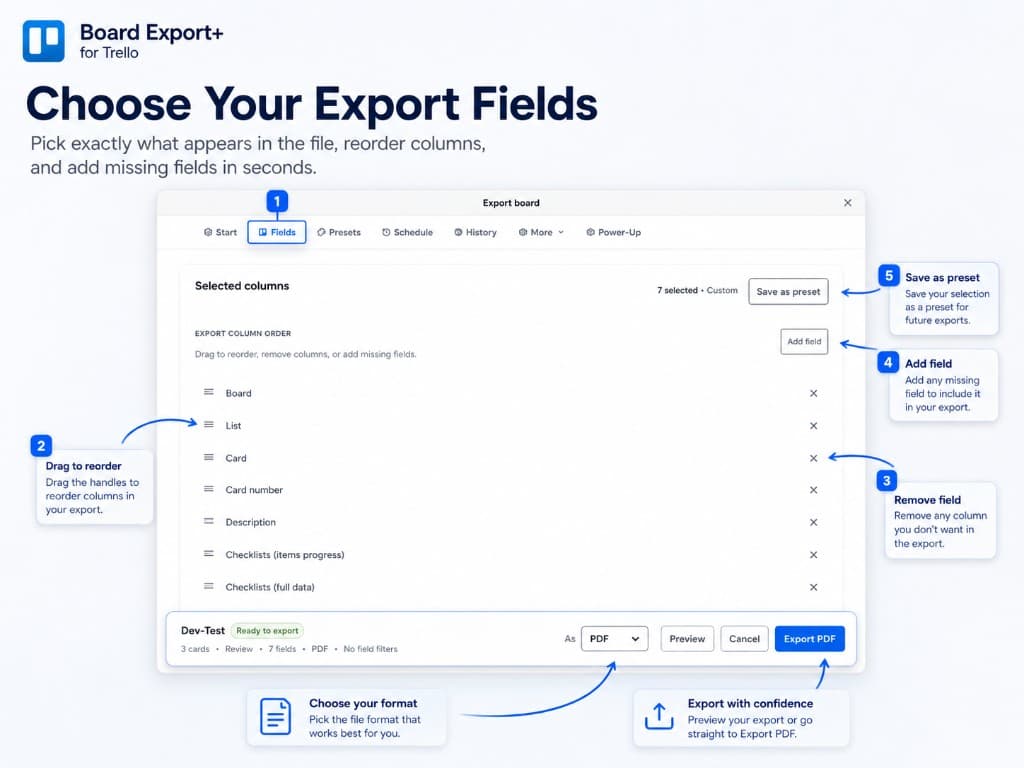
Export scope
Choose what to export
Pick the lists, fields, and columns that belong in each file. Reorder columns, add missing fields, and save the layout as a preset for the next run.
- Drag to reorder export columns
- Add or remove fields before export
- Save custom layouts as presets
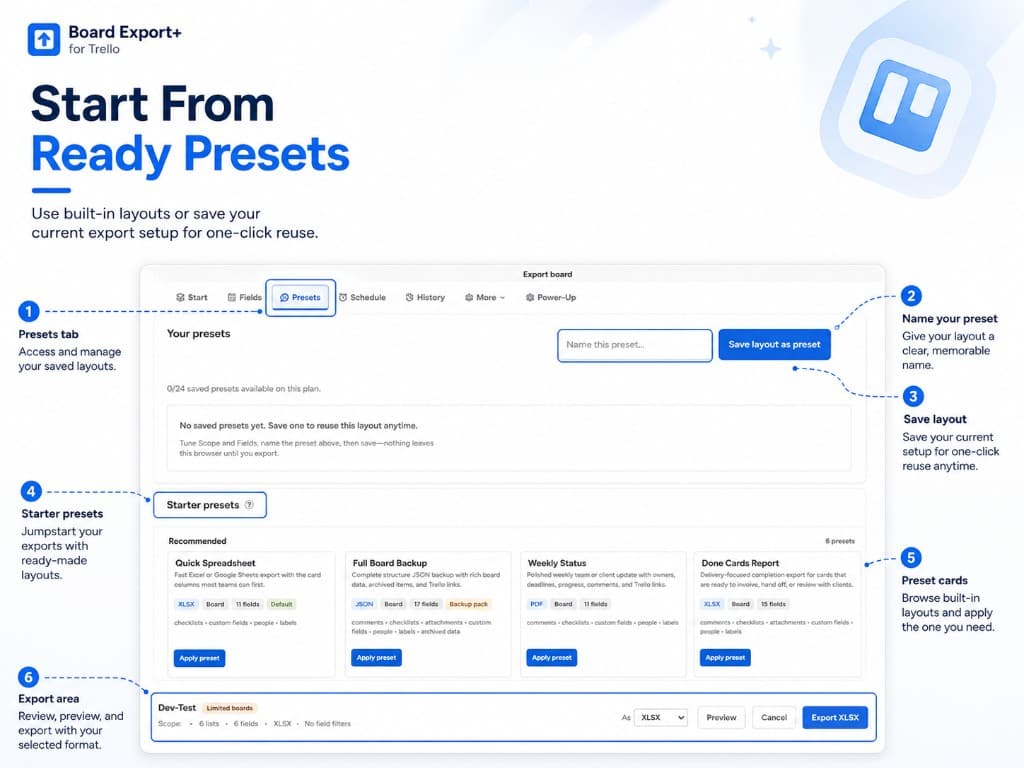
Preview
Preview before exporting
Validate the export setup before download. Review starter presets, confirm the selected format, and use Preview to check output before sending files to clients or archives.
- Apply starter presets in one click
- Confirm format and scope in the footer
- Preview output before export
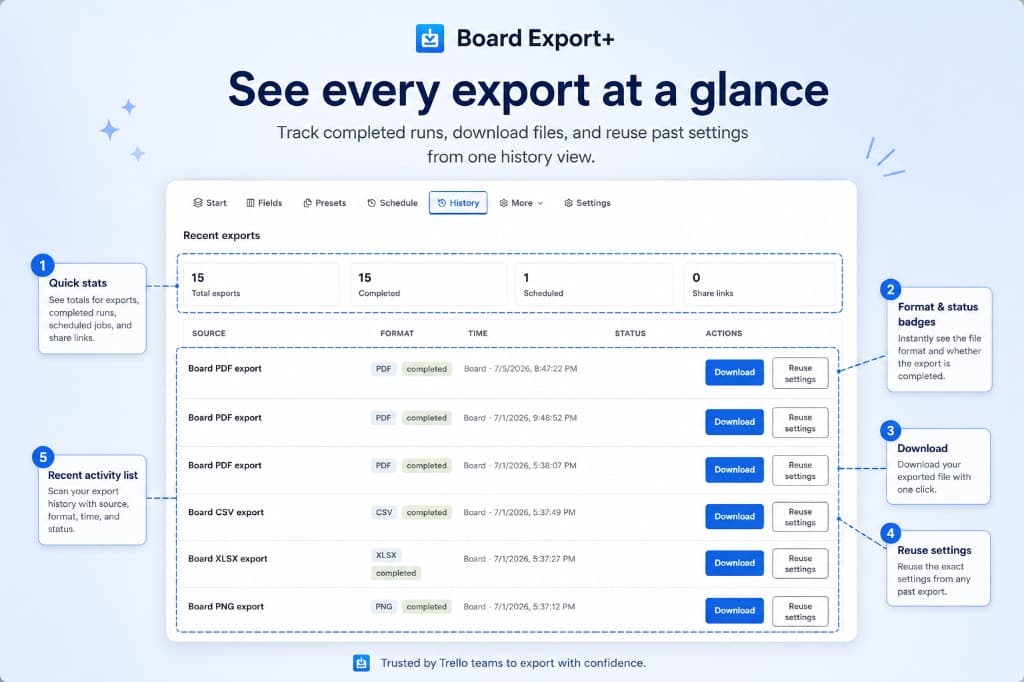
History
Export history
See every completed export in one place. Download files again, check format and status badges, and reuse the exact settings from any past run.
- Quick stats for totals and scheduled jobs
- Download completed files instantly
- Reuse settings from prior exports
Screenshots
Board Export+ in action
Browse the Board Export+ interface: export setup, field selection, presets, and export history.
Use arrow keys to move between screenshots when a thumbnail is focused.
Capabilities
What Board Export+ helps teams do
Board Export+ turns live Trello boards into shareable reports, structured backups, and handoff-ready records without rebuilding work by hand.
Board, list, and card export
Excel, CSV, PDF, Word, JSON, and image output
Field selection and reusable export presets
Export preview and export history
Get started
Add Board Export+ to your boards
Install Board Export+ from the Trello Marketplace, then manage billing inside the Power-Up when you are ready.
Opens the official Trello Power-Up listing.
Related products