

Teams using Trello

Card Vault+
Protect cards. Restore history.
Save snapshots, recover deleted work, and open version history in seconds — without leaving Trello.
Why teams need it: Cards get deleted, lists get archived, and board cleanup erases the context teams still need.
What it helps with: Snapshot card history, search past work, restore deleted cards, and protect context before and after board cleanup.
Opens the official Trello Power-Up listing.
Documentation opens in a new tab.
How it works
Snapshot, search, and restore inside Trello
Every screenshot below is from the live Power-Up, showing how teams protect cards, recover archived work, and manage settings.
Snapshots
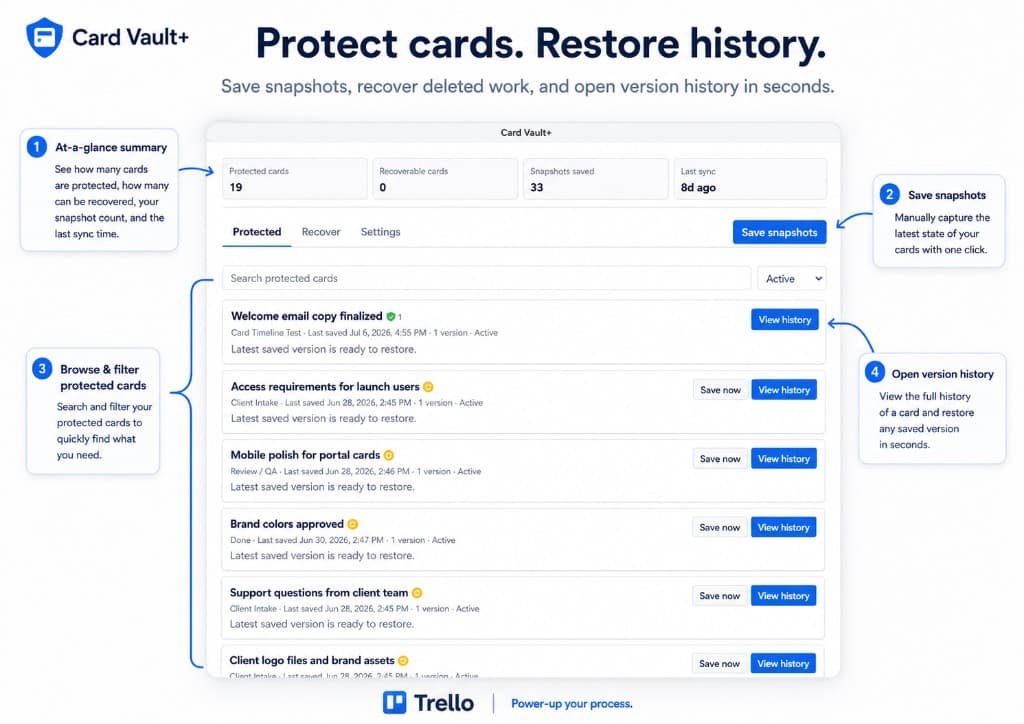
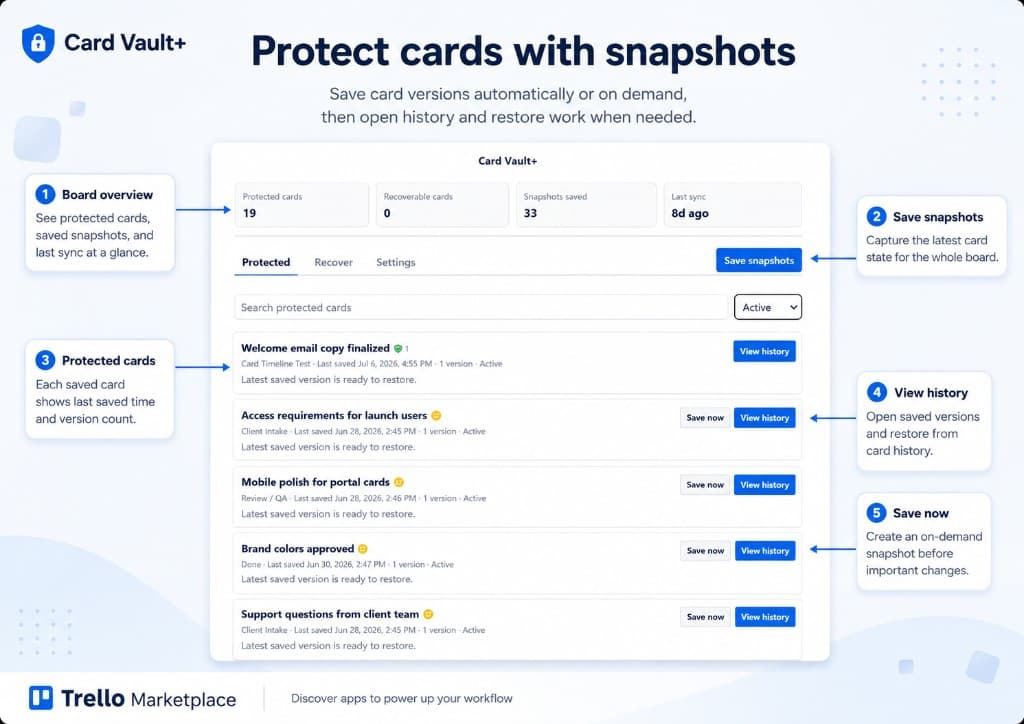
Protect cards with snapshots
Capture card state automatically or on demand. See protected cards, saved snapshots, and last sync at a glance — then save the whole board or individual cards before important edits.
- Board overview for protected and recoverable cards
- Save snapshots for the whole board in one click
- Per-card Save now before important changes
Card history
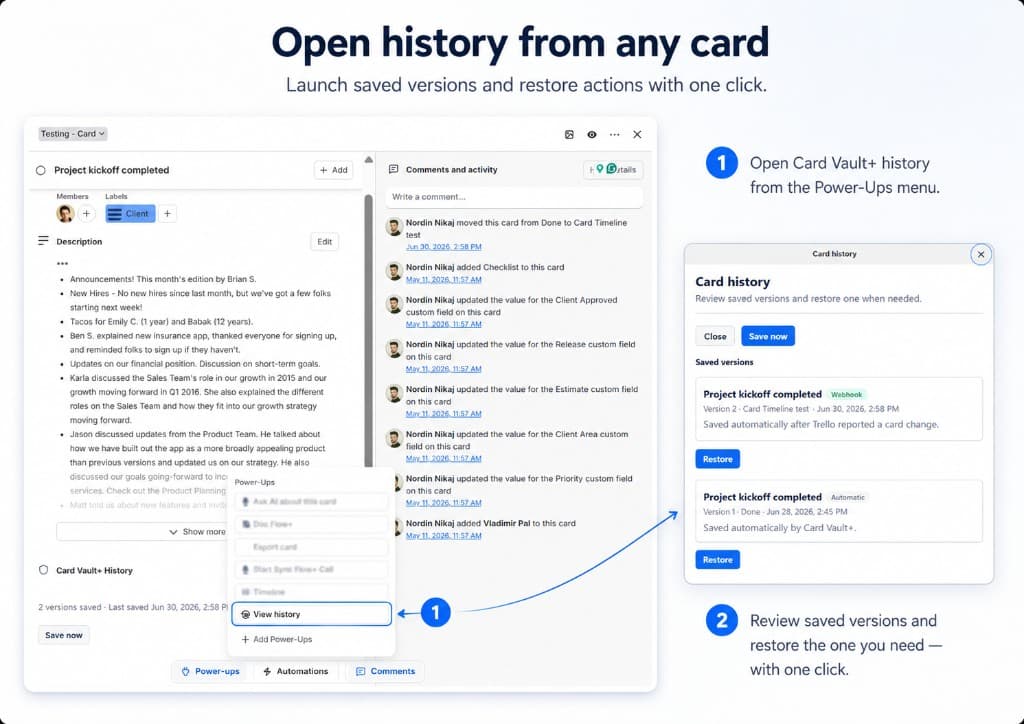
Open history from any card
Launch Card Vault+ history directly from the Power-Ups menu. Review automatic and webhook snapshots, then restore the version you need with one click.
- Open history from the card Power-Ups menu
- Review automatic and webhook snapshots
- Restore a saved version in seconds
Recovery
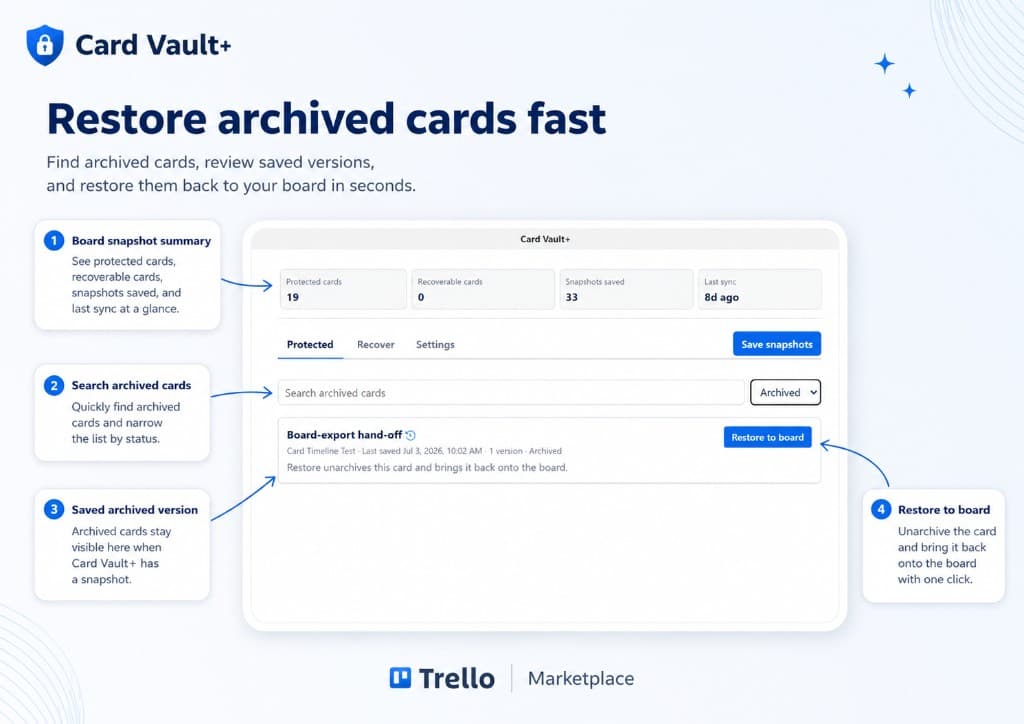
Restore archived cards fast
Find archived cards, review saved versions, and bring work back onto the board. Search by status, confirm the saved snapshot, and restore with one action.
- Search archived cards and filter by status
- Keep saved versions visible after archive
- Restore to board without rebuilding context
Settings
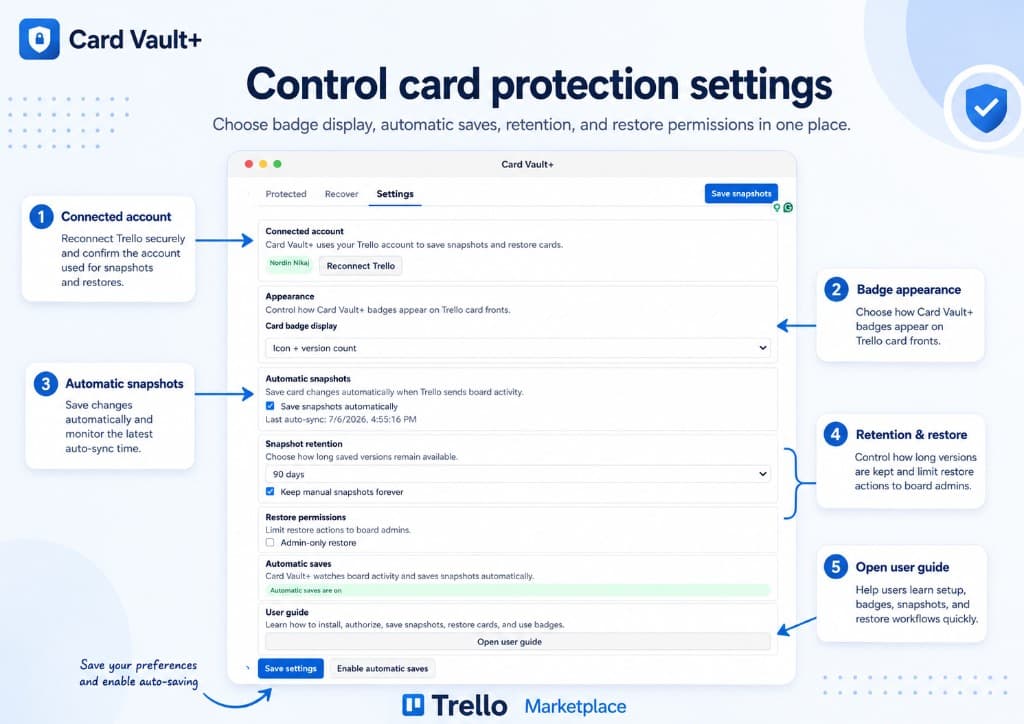
Control card protection settings
Choose badge display, automatic saves, retention, and restore permissions in one place. Reconnect Trello securely and enable auto-saving when your team is ready.
- Configure badge appearance on card fronts
- Enable automatic snapshots and monitor sync
- Set retention and admin-only restore rules
Screenshots
Card Vault+ in action
Browse the full Card Vault+ interface: dashboard, snapshots, card history, archived recovery, and settings.
Use arrow keys to move between screenshots when a thumbnail is focused.
Capabilities
What Card Vault+ helps teams do
Card Vault+ protects Trello card history with snapshots, searchable versions, restore previews, and recovery paths for deleted or archived work.
Manual and automatic card snapshots
Deleted and archived card recovery
Version history with restore preview
Selective restoration controls
Get started
Add Card Vault+ to your boards
Install from the Trello Marketplace or read the official documentation to set up your first workflow.
Opens the official Trello Power-Up listing.
Documentation opens in a new tab.
Related products