

Teams using Trello
Doc Flow+
AI docs for Trello cards.
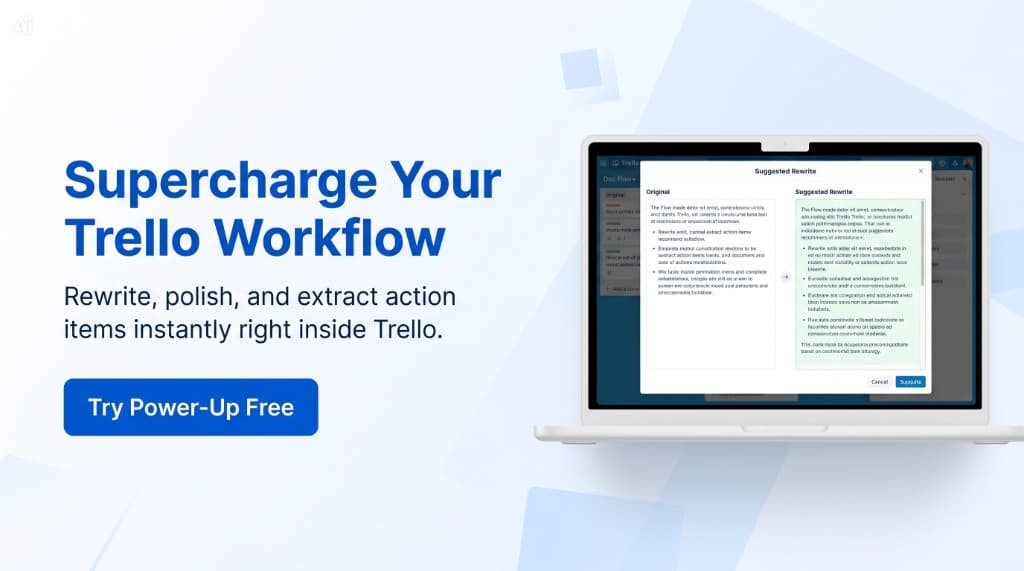
Rewrite, polish, summarize, and extract action items instantly — right inside Trello, with a safe preview before applying changes.
Why teams need it: Card descriptions stay messy, handoffs get rebuilt by hand, and action items hide inside long notes.
What it helps with: Rewrite, polish, summarize, and extract next steps from card text with side-by-side review before anything changes on the board.
Opens the official Trello Power-Up listing.
Documentation opens in a new tab.
How it works
Rewrite, summarize, and extract inside Trello
Every screenshot below is from Doc Flow+, showing how teams launch AI actions from cards, review rewrites, extract tasks, and manage saved docs.
Start from any card
Launch AI actions where work happens
Open Doc Flow+ from any Trello card to proofread descriptions, rewrite copy, summarize updates, or extract action items — without switching tools.
- Proofread or rewrite card descriptions
- Summarize cards and comment threads
- Extract action items in one click

Review before applying
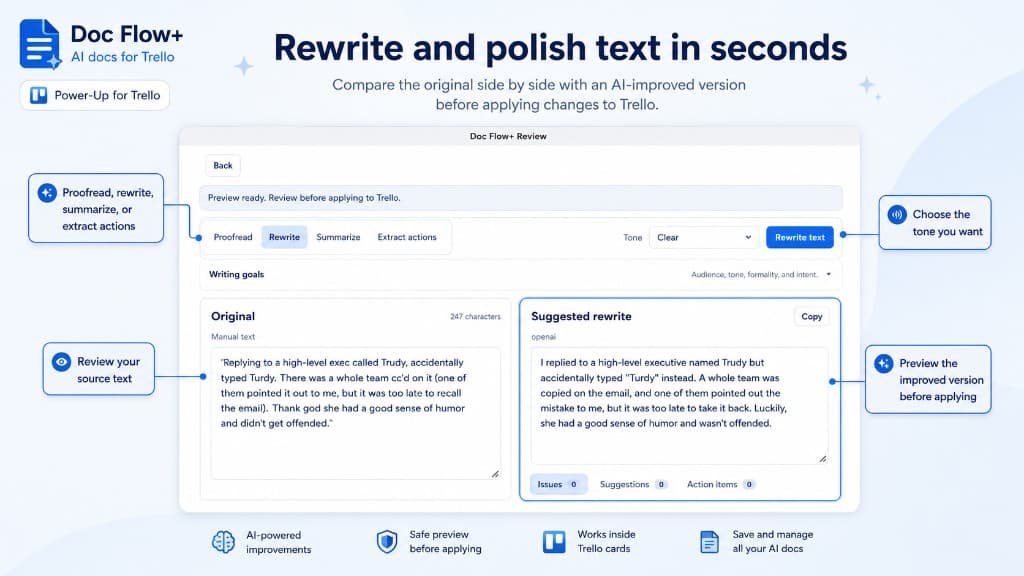
Rewrite and polish text in seconds
Compare the original side by side with an AI-improved version. Choose tone, set writing goals, and apply only when the preview looks right.
- Side-by-side original and suggested rewrite
- Tone and writing-goal controls
- Safe preview before applying to Trello
Action items
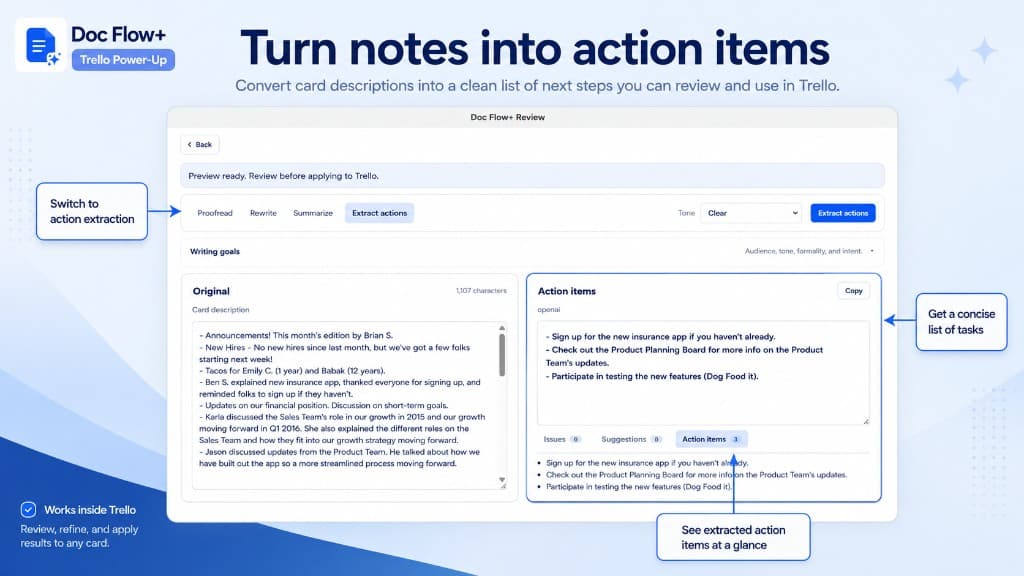
Turn notes into next steps
Convert messy card descriptions into a clean list of tasks you can review, copy, and use in Trello checklists or follow-up cards.
- Extract tasks from long descriptions
- Review before adding to the board
- Copy or apply results instantly
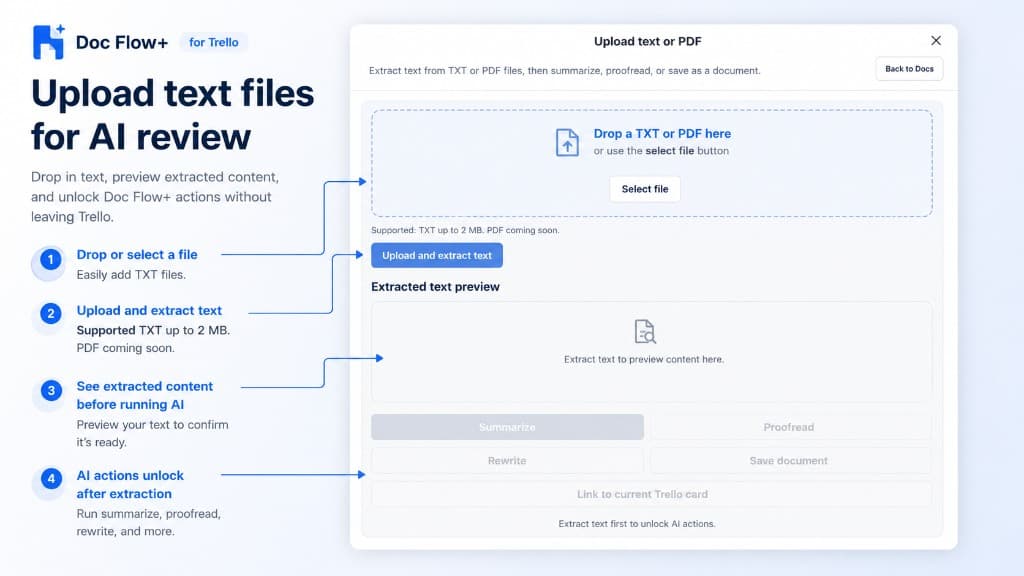
File upload
Upload text files for AI review
Drop in TXT files, preview extracted content, and run summarize, proofread, rewrite, or save-as-document actions without leaving Trello.
- Drop or select TXT files up to 2 MB
- Preview extracted text before AI runs
- Unlock actions after extraction completes
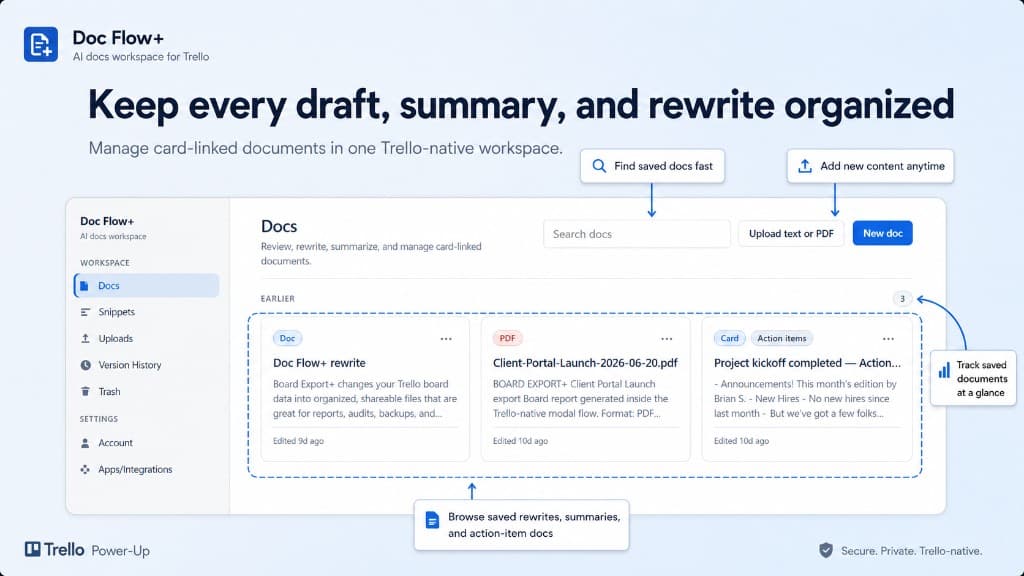
Docs workspace
Keep every draft organized
Manage card-linked documents in one Trello-native workspace. Search saved rewrites, summaries, and action-item docs anytime.
- Search docs across cards and boards
- Upload text or start a new doc
- Browse rewrites, summaries, and action items
Screenshots
Doc Flow+ in action
Browse the Doc Flow+ interface: card actions, rewrite review, action extraction, file upload, and docs workspace.
Use arrow keys to move between screenshots when a thumbnail is focused.
Capabilities
What Doc Flow+ helps teams do
Doc Flow+ helps teams improve card descriptions and document content with proofreading, rewriting, summaries, transformations, and safe review before applying changes.
Proofread and rewrite card content
Summarize long notes
Extract action items
Preview changes before applying them
Get started
Add Doc Flow+ to your boards
Install Doc Flow+ from the verified Trello Power-Up listing or read the documentation to set up your first document workflow.
Opens the official Trello Power-Up listing.
Documentation opens in a new tab.
Related products