

Teams using Trello
Card Timeline+
Track every card's journey.
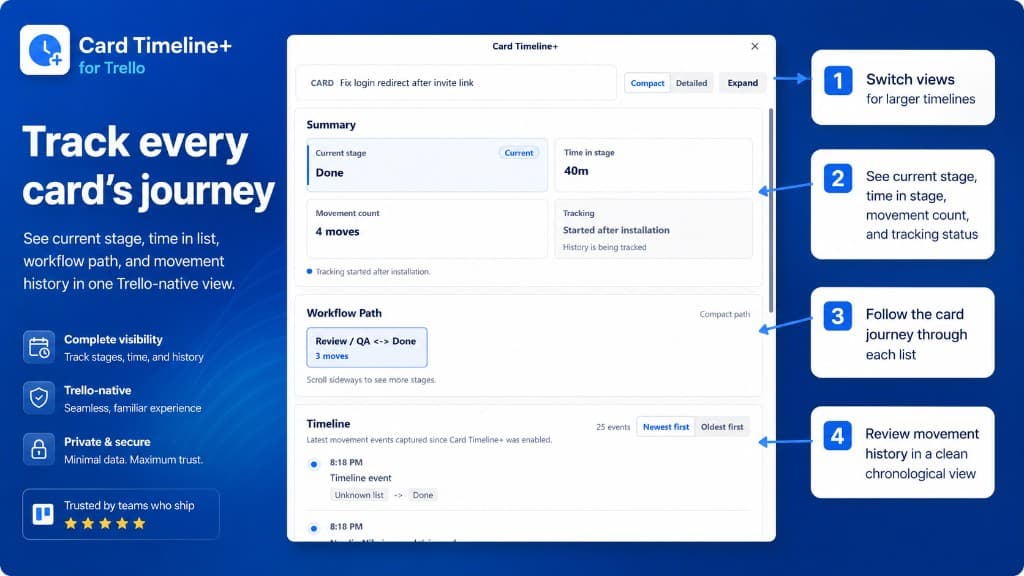
See current stage, time in list, workflow path, and movement history in one Trello-native view.
Why teams need it: Stuck cards hide in plain sight. Teams lose visibility into how long work sits in each list and where bottlenecks form.
What it helps with: Track current stage, time in list, workflow path, and every list move since install so teams can understand bottlenecks faster.
Opens the official Trello Power-Up listing.
Documentation opens in a new tab.
How it works
Track stages, time, and movement inside Trello
Every screenshot below is from Card Timeline+, showing how teams open workflow history, review movement paths, and spot stuck work.
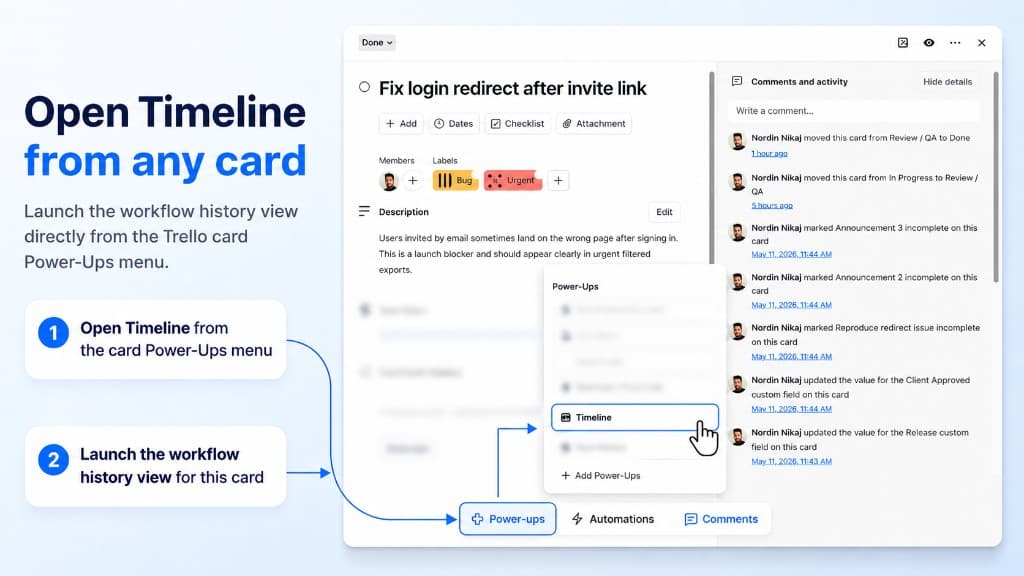
Open Timeline
Launch workflow history from any card
Open Timeline directly from the card Power-Ups menu. No separate login — the workflow history view opens right inside Trello.
- Open from the card Power-Ups menu
- Works on any card on the board
- Trello-native experience
Timeline modal
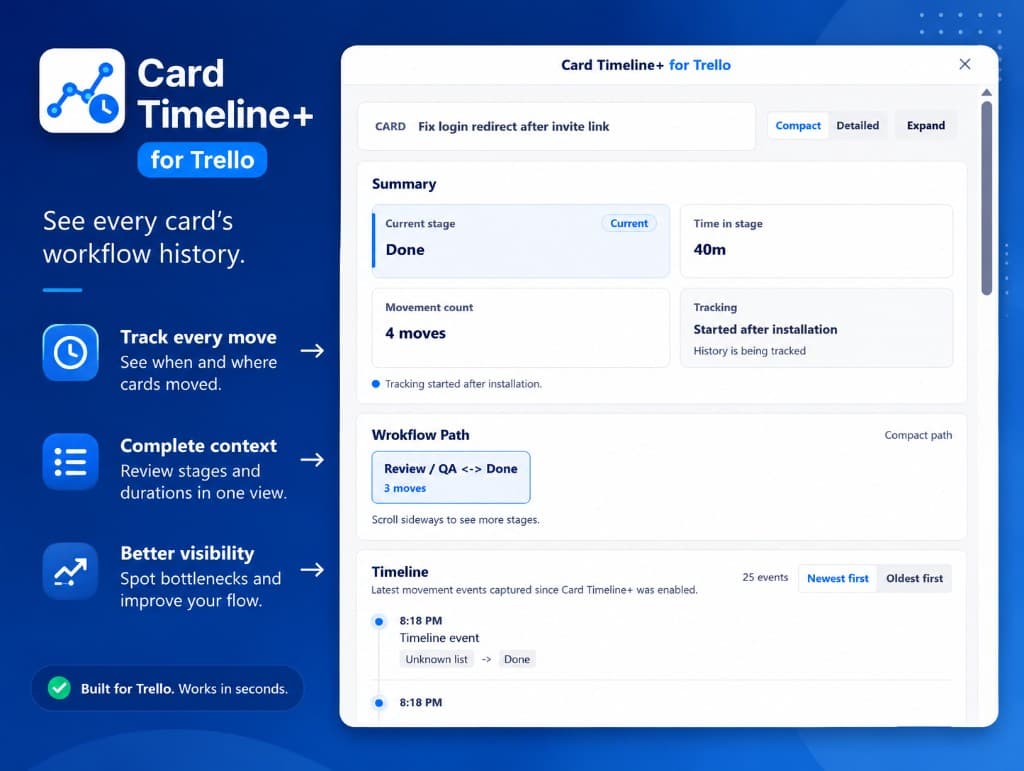
Summary, path, and movement history
See current stage, time in stage, movement count, and tracking status at a glance. Follow the workflow path and review every list move in a clean chronological view.
- Current stage and time in list
- Visual workflow path across lists
- Chronological movement events
Screenshots
Card Timeline+ in action
Browse the Card Timeline+ interface: hero overview, timeline modal, and opening history from any card.
Use arrow keys to move between screenshots when a thumbnail is focused.
Capabilities
What Card Timeline+ helps teams do
Card Timeline+ helps teams understand how Trello work moves by showing each card's path, time in lists, and event history.
Visual workflow path
Time-in-list tracking
Event and movement history
Workflow analytics for card progress
Get started
Add Card Timeline+ to your boards
Install from the Trello Marketplace or read the official documentation to set up your first workflow.
Opens the official Trello Power-Up listing.
Documentation opens in a new tab.
Related products